Below, you can view your purchased packages, including the total number of classes, how many you’ve scheduled, and how many are remaining. You can also book classes from your package by following the directions on this page.
How to Use The Package Control
Click on the Calendar Icon that is on the far right
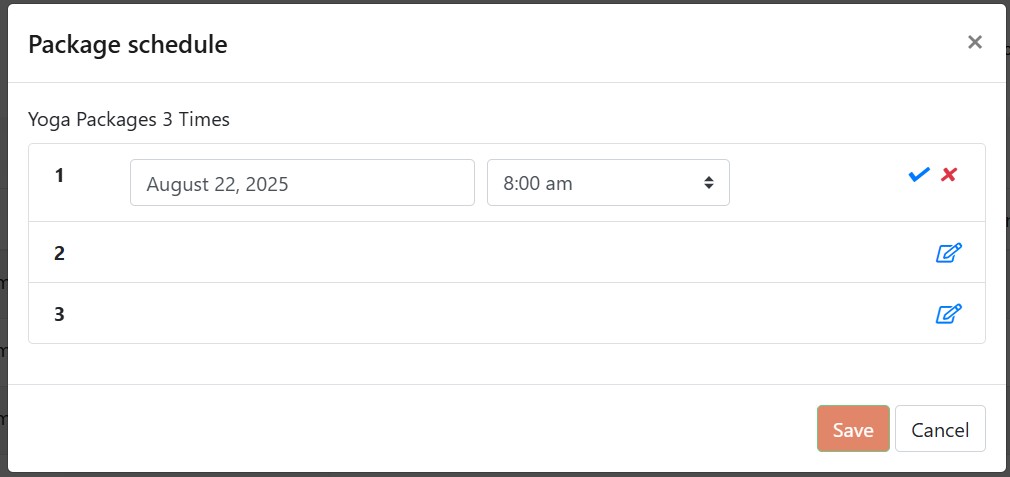
Your Package Schedule list will pop up - image on left
Enter the Date and Time of the Yoga class
If the class is available - you will see a blue check mark
To book the class, click on the blue check mark and hit save